ABSTRACT
We moved into town in July 2020 and as new residents always looking for ways to get a pulse on happenings in the town. One great way to do that is to monitor the radio systems of the municipal services that operate within the town. To monitor, one can either go out and purchase a $400 scanning receiver, install an antenna, and stay within ear shot of the scanner to stay informed, or the (better) option is to setup a dedicated receiver for each service and connect the audio output to a computer (running appropriate software) to create and send a stream to broadcastify.com or other streaming relay service. What’s nice about streaming to broadcastify, is that they archive all the audio you send them, so when something interesting happens, and you miss it, you can download the audio from the stream archives and listen to it from anywhere as your schedule permits – or you can just listen live from any mobile device using the broadcastify app from anywhere.
MY STREAMS
POLICE
FIRE
MY SOLUTION
I chose to do the second option, because I have plenty of spare radios and computers. To create my streams I use the following in my arsenal:
- a low power Intel Atom ultra small form factor computer with plenty of USB ports and running Linux OS.
- the liquidsoap audio toolkit to define and create the streams.
- USB audio interfaces with inputs (connected to the radios)
- UHF or VHF radios to dedicate to the monitoring setup – connected to a common (shared) or individual antennas.
- An account on Broadcastify or other stream server – from where you will serve your streams.
- Broadcastify stream details for each stream (you will use this to setup liquidsoap).
- a wired network connection (preferred) for your computer generating the streams.
I started with a small energy efficient computer (an ASUS Intel Atom “net top” computer) on which I installed Ubuntu Linux and Liquidsoap. This computer needs a reliable internet connection and power source, as it will be running 24/7. 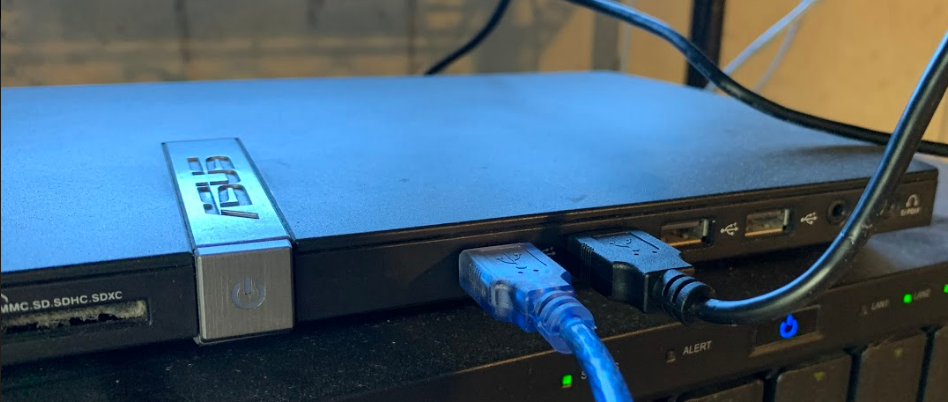 I chose a low power computer because I wanted to keep my energy costs low for the project. Once Linux is installed, and an IP setup on the box, a keyboard and monitor are no longer needed. You can do the rest of the setup over the local network over SSH. To setup the computer for streaming, I installed Liquidsoap and created a config file to define the streams: (/etc/liquidsoap/radio.liq)
apt install liquidsoap

apt install liquidsoap-plugin-alsa
Once installed, you need to create a config file to tell liquidsoap how to create and process your streams:
# Define physical audio pickups:

radio4 = mksafe(input.alsa(device="plughw:CARD=USB,DEV=0"))

radio5 = mksafe(input.alsa(device="plughw:CARD=CODEC,DEV=0"))
# Define stream destinations:

output.icecast(

%mp3(stereo=false, bitrate=16, samplerate=22050),

host="audio3.broadcastify.com",

port=80, password="p@55w0rd", genre="Scanner",

description="Northbridge Police Dispatch", mount="/kejrncsk888",

name="Northbridge Police Dispatch - 453.1875 MHz", user="source",

url="https://www.broadcastify.com/listen/feed/34984", radio4)
output.icecast(

%mp3(stereo=false, bitrate=16, samplerate=22050),

host="audio1.broadcastify.com",

port=80, password="p@ssw0rd", genre="Scanner",

description="Northbridge Fire Dispatch", mount="/s7sfsd87dsf",

name="Northbridge Fire Dispatch - 154.3625 MHz", user="source",

url="https://www.broadcastify.com/listen/feed/35186", radio5)
You get the parameters for the above output definitions from the feed details in your broadcastify account when you apply to setup a feed. Once setup in the config file, you can issue the following command to restart the liquidsoap service and bring your feeds online:
sudo systemctl restart liquidsoap
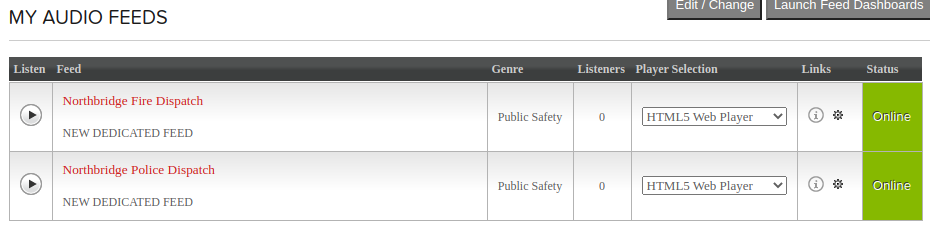
Once restarted, liquidsoap should now be sending your audio to broadcastify. You should see your feeds online:
HOOKING UP THE RADIOS
Now that your stream is up, it’s time to hook up the radios and start sending audio over your stream (radio configuration/programming is out of the scope of this article). Connect the “speaker out” jack on the back of the radio to the correct “line in” port on your USB audio pickup device and set the volume halfway to start. (You don’t want too much audio or your stream could be noisy/distorted). 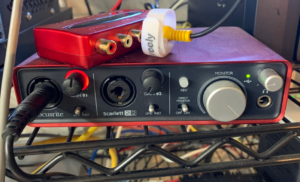 As the radio is receiving audio, adjust the volume knob on the radio for good balance of loudness and clarity. Do the same on any other radios you wish to setup. Be sure to lock the tuning so that the frequency can’t be accidentally changed.

RADIOS NEED ANTENNAS
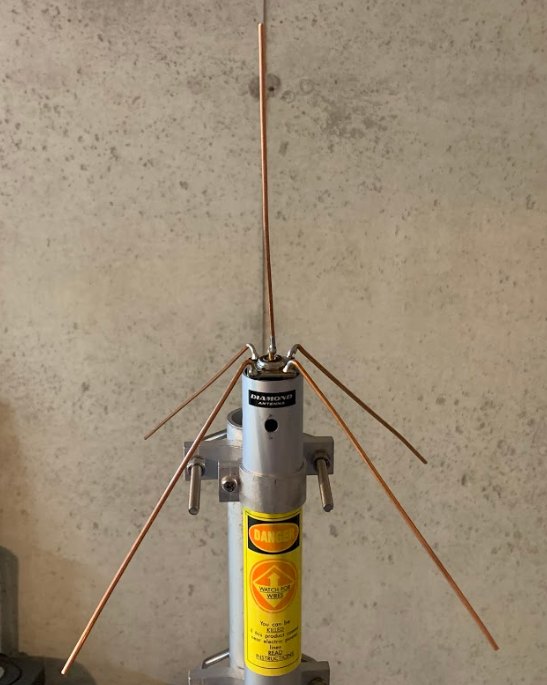
Because we’re pulling signals off the air and streaming them online, you’ll need to either buy or make an antenna for such a dedicated setup. I chose to make a simple one using an SO-239 connector: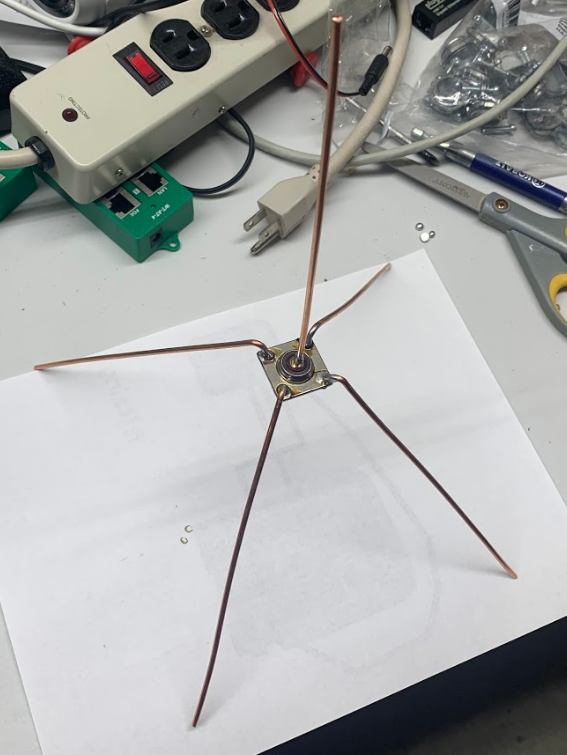
LISTEN FROM ANYWHERE
Now, you can download the Broadcastify app on any mobile device and listen to the feeds from anywhere. The data rate is extremely small so listening for long periods should not consume a lot of data on a data plan. Now you can stay informed by listening or listen whenever you see local police/fire activity in your town.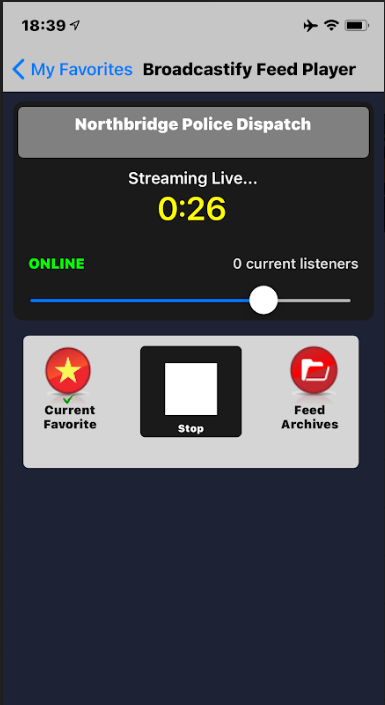

No audio on the Northbridge Fire feed. It’s broadcasting but no transmissions are being re-broadcast. Listening to a fire on Sunday 4-20 as I’m writing this.
I think others are still able to hear Northbridge police department and know what’s going on in Northbridge, I was listening to it 7/19 perfectly fine and 7/20, but 7/21 the feed cut out and I can longer hear it…I get small static blurts as the cops are talking but I never hear a voice or anything…I’m just curious because it’s still running and I know Northbridge PD went digital just not hearing the transmission from them
No Audio feed from Northbridge PD after they went digital, I know others can still hear them because every time I see a cop responding to a call I go on to listen and there is like 15-24 people listening most of the time, but I don’t hear anything on it I only get crackles when transmission are going through…I never hear the actual transmission
Hi. My name is LT McKeown from Northbridge Fire Dept.
We have moved to a digital signal so analog scanners will no longer work.
Is your scanner work with digital signals?
Hi, I used to host the NFD feed, but moved out of the town in early 2022. I no longer host it, but rather a friend of mine took it over. I’ll let him know. I do not know if his receiver is digital capable.